
How Quick Login works on bso888
Quick Login on bso888 begins the moment you complete account verification. Our system generates a unique session identifier tied to your device's browser or app. When you close the app or browser and return, bso888 recognizes your device and pre-fills your login form with your username or registered email. You enter your password once more for security, and the session resumes.
This mechanism differs from "remember me" services that store passwords locally. We never save your password to your device. Instead, we store an encrypted token that our servers validate each time you request access. If you clear your browser cache or reinstall the app, Quick Login resets and you log in manually on your next visit.
Quick Login is optional. If you prefer to enter your credentials manually each time—for example, if you use a shared computer or public device—you can disable the feature in your account settings under "Security Preferences." We recommend keeping Quick Login active only on personal devices you trust.
During peak hours on Liga 1 match days or major Piala AFF tournaments, Quick Login speeds up your access when sportsbook traffic spikes. Instead of queuing through the full login portal, you restore your session in seconds and place your wagers without delay.
Quick Login and live-dealer table sessions
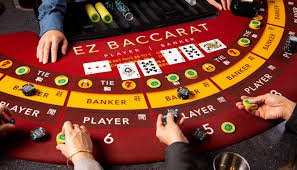
When you use Quick Login to enter bso888 and navigate to our live-dealer studios, your session carries over seamlessly. Our blackjack, roulette, baccarat, Dragon Tiger, and Sic Bo tables recognize your account status, betting history, and table-limit eligibility instantly. If you were seated at a high-limit Dragon Tiger table before closing the app, returning via Quick Login will show you the same table state—your seat may be held briefly depending on how long you were away.
Our live-dealer studios operate continuously. Dealers conduct rounds every few minutes across all games. If your Quick Login session restores while a roulette spin or blackjack hand is in progress, you rejoin mid-round or at the next betting window, depending on where the action stands. We do not replay rounds or create special accommodations for returning players—the game flow is consistent for all participants.
Multilingual dealer support
Our live-dealer teams speak Indonesian, English, and Mandarin. Quick Login on bso888 retains your language preference, so when you rejoin a table, the dealer's broadcast and chat interface appear in your chosen language.
Payment method integration with Quick Login
When you deposit via e-wallet, mobile banking, local payment, online payment, e-wallet, mobile banking, or bank transfer through local payment, online payment, e-wallet, or mobile banking while logged in through Quick Login, bso888 records your payment method to your profile. On your next Quick Login session, you can use the same method again without re-entering card or account details—the system recalls your saved payment option.
This convenience applies to withdrawal requests as well. If you initiated a withdrawal to your local payment account during a previous session, Quick Login will suggest online payment as your default withdrawal destination. You can override it, but the default speeds up the request if you are withdrawing to the same method repeatedly.


Security and device management
Quick Login relies on cookies and local storage to recognize your device. We encrypt this data so it cannot be read by third parties even if your device is compromised. However, we recommend that you log out manually if you use a shared or borrowed device. You can do this in your account settings or by tapping "Logout" at the bottom of the menu.
If you suspect unauthorized access to your bso888 account, you can revoke all active Quick Login sessions from the "Active Sessions" page in account settings. This action signs you out everywhere and forces a full manual login on your next visit. Our support team can also force a logout from our end if you contact us during business hours.
Quick Login sessions expire after a set period of inactivity—typically when you have not used your account for several days. This safeguard prevents someone gaining access to an abandoned session on a public computer. When the session expires, your next login requires your full credentials again.
Key takeaways
- Quick Login stores an encrypted token on your device, not your password
- Session expiration safeguards your account if you forget to log out
- Use Quick Login only on personal, trusted devices
- Revoking sessions instantly signs you out everywhere
- Payment methods saved during a session appear on your next Quick Login
Troubleshooting Quick Login issues
If Quick Login fails to recognize your device, first check that you have cookies enabled in your browser settings. bso888 requires cookies to store your session token. If cookies are disabled, you will need to log in manually each time.
If you see an error like "Session expired" or "Login not recognized," your session token may have been revoked (either by you in account settings, or automatically after inactivity). Simply log in with your full credentials to create a new session.
If you cannot remember your password, use the "Forgot Password" link on the login page. We will send a reset link to your registered email address. After resetting, your next login counts as a new manual session, and Quick Login resets as well. This is a security feature to prevent unauthorized account takeovers through password resets.
-
1
Enable cookiesBrowser setup
Quick Login requires cookies. Check your browser privacy settings and whitelist bso888.
-
2
Clear cache if neededMaintenance
If Quick Login persists after you want to reset, clearing your browser cache will force a fresh login on next visit.
-
3
Contact supportHelp
If issues persist, our support team can manually reset your session or investigate device recognition problems.
Quick Login across sportsbook and slot games
Quick Login on bso888 applies to all product verticals—live dealer, sportsbook, and slot games. When you access Liga 1 matches or Piala AFF tournaments through our sportsbook, your Quick Login session carries your account status and betting history. When you switch to slot games like Aviator, Sweet Bonanza, or Fortune Tiger, the same session persists, so you see consistent account balances and transaction history.
This unified session design means you do not need separate logins for each product. Your credentials, payment methods, and balance are synchronized across all platforms. If you are playing blackjack on bso888 and switch to Mobile Legends esports markets, the transition is instant with no re-authentication required.